
Three Steps to Total Shop Visibility
How Landscape Shop Pro streamlines your entire repair workflow in real time.
-
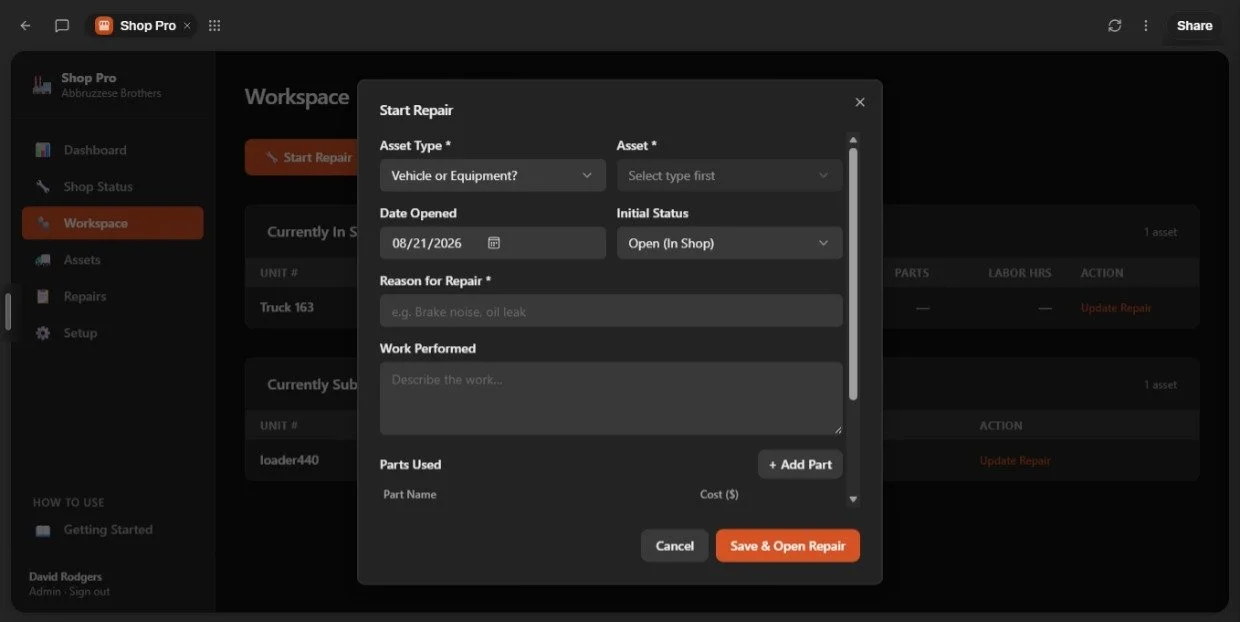
Choose the asset and log the repair
.Select the truck or piece of equipment, describe the issue, and open a repair record. Add notes, parts costs, and labor as the work progresses. Straightforward forms keep the information organized and the process easy to follow.
-
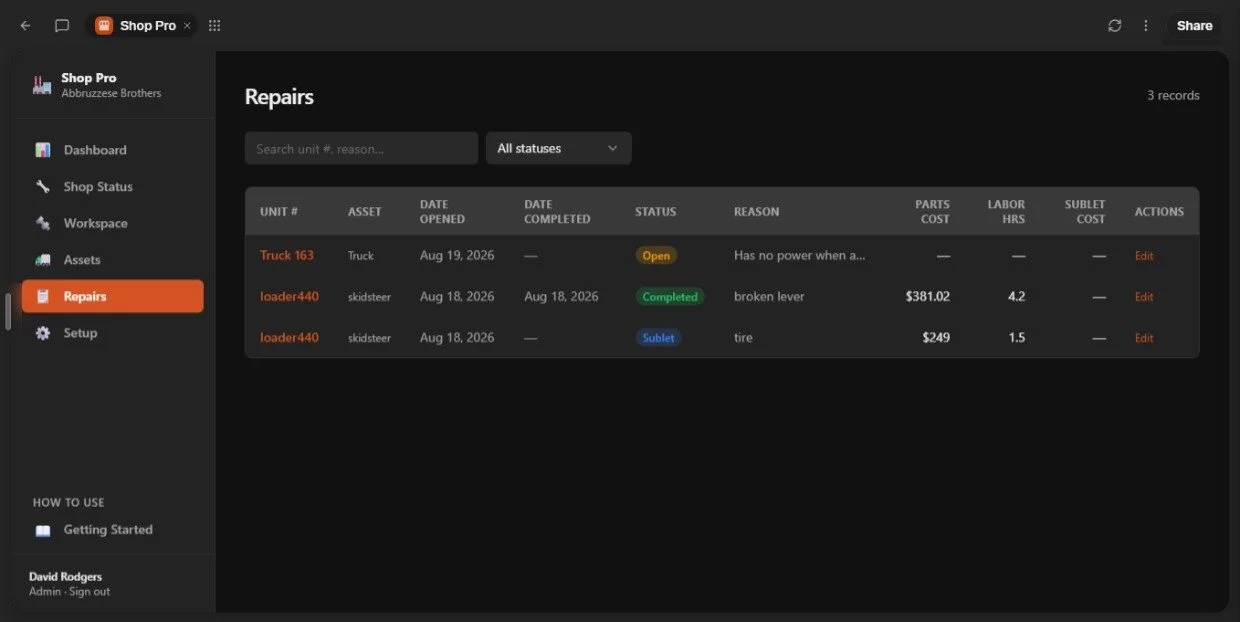
Track Everything In One Place
Use the shop dashboard to see open repairs, equipment sent out for service, and completed work. Update each repair’s status as the job moves forward so the office can see where things stand.
-
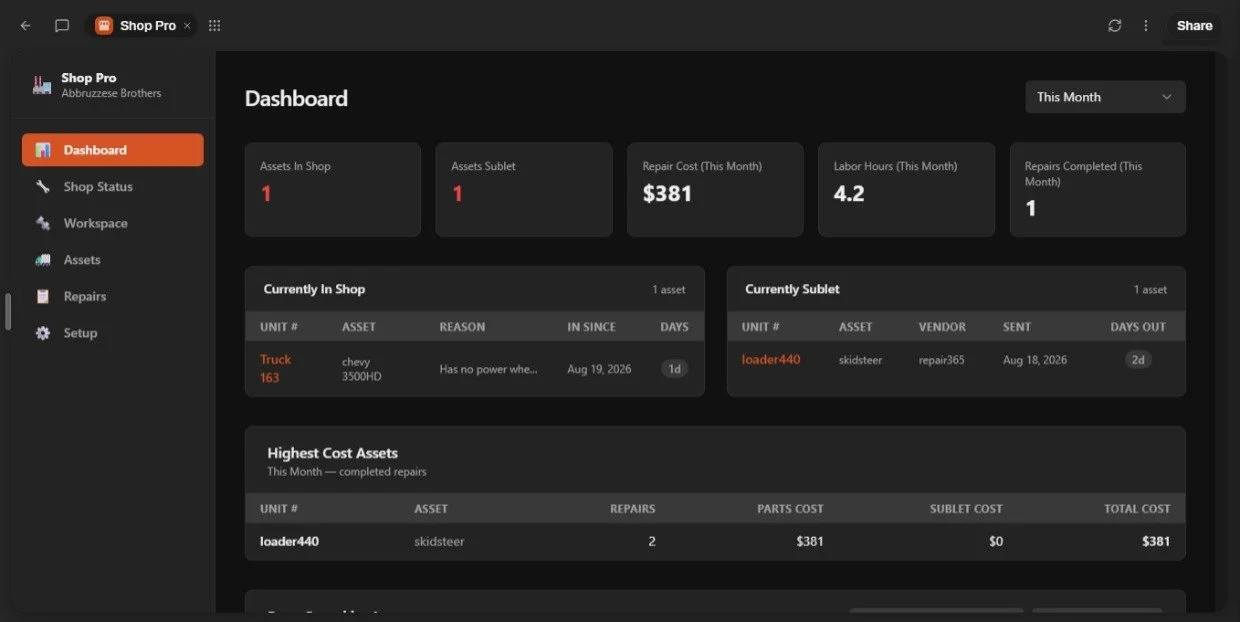
See The Full Picture Instantly
From your office, review repair status, time out of service, and recorded parts and labor costs. Open an asset to see its repair history and accumulated repair costs—giving you context before approving the next repair.
30 Day Trial
Try Landscape Shop Pro free for 30 days. Add your equipment, log repairs, and start building a clear record of parts, labor, and repair costs for each asset.
See how it fits your shop’s daily routine—and what you can learn from the office.
Start Your Free 30-Day Trial
$179
Monthly Plan
Get instant access to full shop visibility with unlimited assets. Start seeing what’s down, why, and what it’s costing — today. Cancel anytime.
$1790
yearly plan
Lock in a full year of Landscape Shop Pro and stop guessing about your shop. Best value for owners who are ready to take control now.